
Question:
I'm studying a microcredential, how do I log in?
Our answer:
Find an item using Library Search, the search box on our homepage. Click on the search result, and then click on one of the links under 'View online'.
You will be asked how you want to sign in. Choose Microcredential students (Online Library).
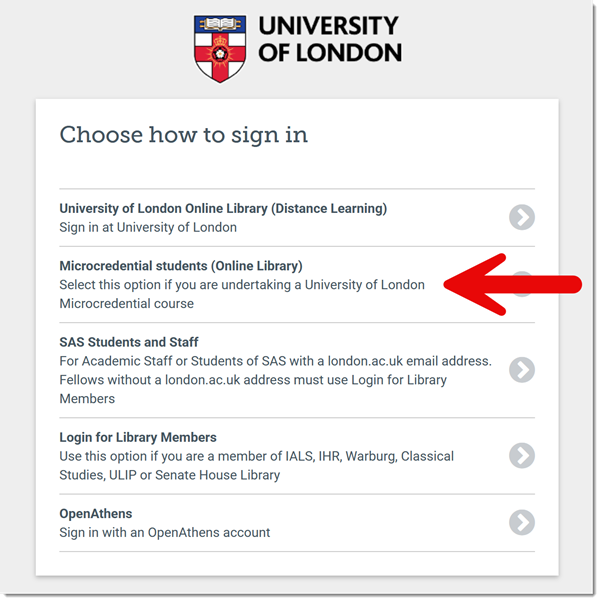
Then enter the email address you used to register for the course and your password. You will then be taken to the resource.
If you don't see the page that asks you how you want to sign in, try again in a different browser or clear your browser's cookies.
You can also log into specific databases from the programme gateways.
If you need any help, please contact the Online Library.