
Question:
How do I download books from E-Book Central?
Our answer:
You can download a limited number of chapters from a book as PDFs.
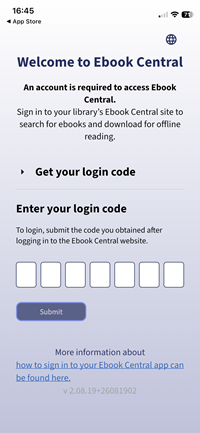
To download the entire book, you need to use the Ebook Central app. The app is free and can be downloaded from Apple's App Store and Google Play. After you've downloaded the app, it will ask you for a login code.
Log into E-Book Central from our E-Book Central page or from Library Search. After you click the 'Download book' link on a book's page, you will see this pop-up. If you have not used the app before, click 'Manage devices'.
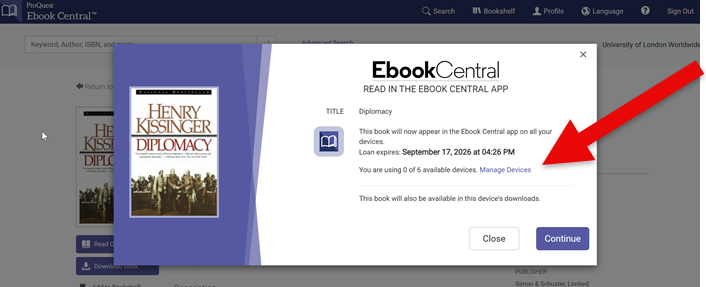
Then click 'Get Login Code'

The website will give you a 7 digit code. Enter that code into the app.
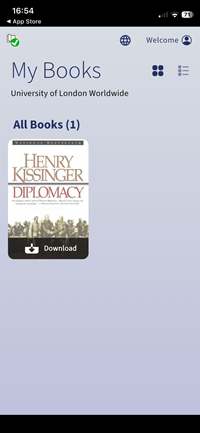
Then you'll see the book in the app. Click 'Download' to download the book to your app and start reading.
Please note that you can no longer use Adobe Digital Editions to read books from E-Book Central.
If you need any help, please contact the Online Library.