
Question:
How do I use the VLeBooks app?
Our answer:
The VLeBooks app can be used to read books you have downloaded from VLeBooks.
On a book's page on the VLeBooks website, after you click 'Download', you will see the option to use 'VLe App'.
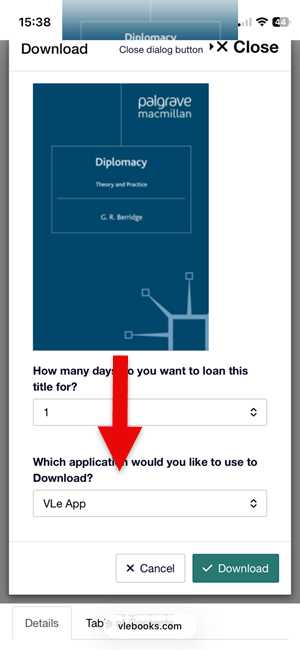
If you don't have the app yet, download the app onto your device. You can download the app for free from Apple App Store, Google Play or this page on the VLeBooks website. Then on the page on the VLeBooks website, click 'Generate New Access Code'.
If you've already set up the app with an access code, the book will already be in the app.
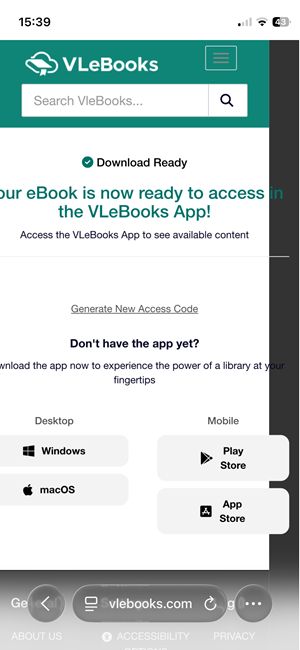
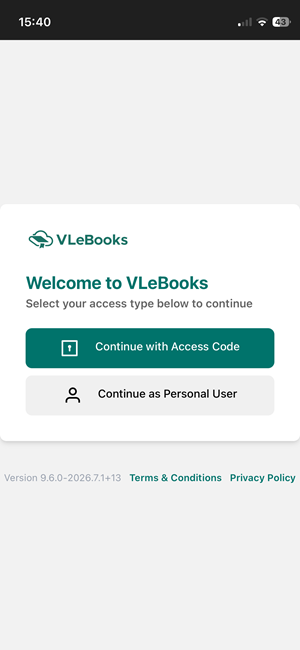
In the app, select 'Continue with Access Code' and then enter the code that the VLeBooks website gives you.
Then in the app, you will see the book you want to read under 'My Loans'.
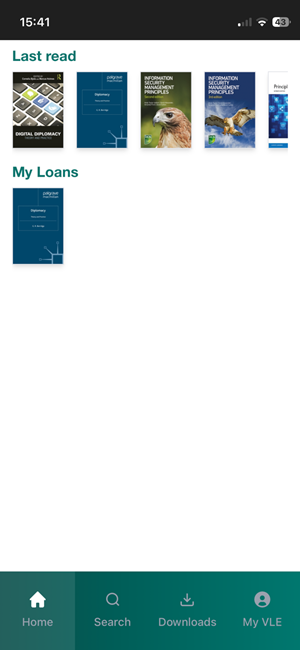
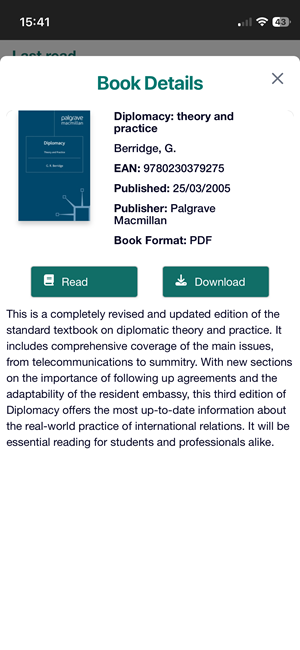
Select the book and then select 'Download'. The book will be downloaded onto your device for you to read. To find books you have already downloaded, click 'Downloads' in the menu at the bottom of the screen. Remember that downloads expire at the end of the loan period, but you can download books as many times as you need.
If you need any help with the app, take a look at this guide from VLeBooks or contact the Online Library.