
Question:
Where do I find the access code for the VLeBooks app?
Our answer:
- Log into VLeBooks from our VLeBooks page.
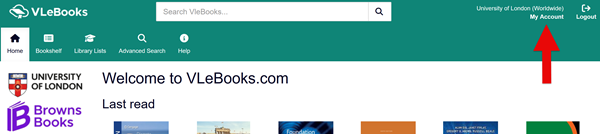
- On the VLeBooks website, click 'My Account' in the top right corner of the page
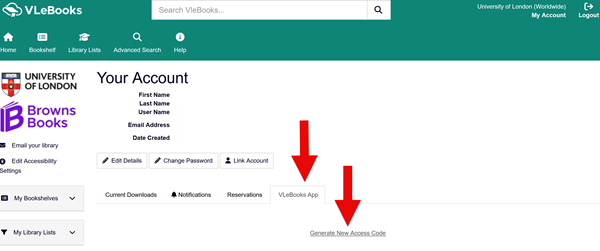
3. Click the 'VLeBooks App' tab
4. Click the 'Generate New Access Code' link
5. VLeBooks will give you a code. Enter the code into the VLeBooks app
You can also generate an access code when you download a book from VLeBooks. See our How do I use the VLeBooks app? FAQ for more information.